Forms Completed Successfully
One Final Step: Create Your Account
You've completed all required onboarding forms! Now register your account to access the employee portal.
How to Register Your Account
- Click the button below to go to the registration page
- Look for the "Sign Up" button in the lower right corner below the Sign In button (see image below)
- Use the exact same email address that you provided on your onboarding forms
- Create a secure password and complete the registration
📸 Look for the "Sign Up" button in the lower right corner:
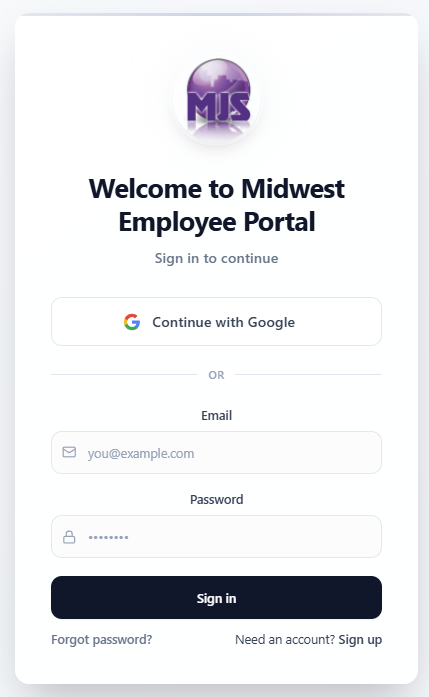
The Sign Up button is located in the lower right corner, below the Sign In button
ℹ️ Important
- Use the exact same email address that you provided on your onboarding forms
- Once registered, you'll have access to the employee portal and all resources
- If you have any issues, contact HR at humanresources@mjsia.com
Need assistance? Our HR team is here to help!
📧 Email: humanresources@mjsia.com | 📞 Phone: 319-393-6162